Set up NiKA FTP access
This page applies only to customers with a NiKA data-only integration. This page covers obtaining and using NiKA FTP credentials, in the same way that “Access the Marlin Portal” covers obtaining the device auth token for a full integration.
Download Marlin Connect
A NiKA data-only integration still uses the Marlin Portal, but for the software download only.
- Sign in to the Marlin Portal.
- Go to Resources and download Marlin Connect (current support: Windows).
- Install and launch the application (see “View real-time data or use API with SAS URL” for the full Marlin Connect guide).
Generate your NiKA FTP credentials
NiKA data is published to an FTP site from the metocean LINC portal. Obtain the FTP details there:
- Log in to your metocean LINC account.
- Open the Publishing settings under Admin.
- Click Add, select Assets and Set up delivery methods to FTP.
- Choose a Username, then click Generate password.
- Copy the resulting FTP details — Server, Username, Password and Port — ready to enter into Marlin Connect.
Keep these details safe. Marlin Connect does not store NiKA FTP credentials, so you must enter them each time you start a NiKA session.
Connect with NiKA FTP auth
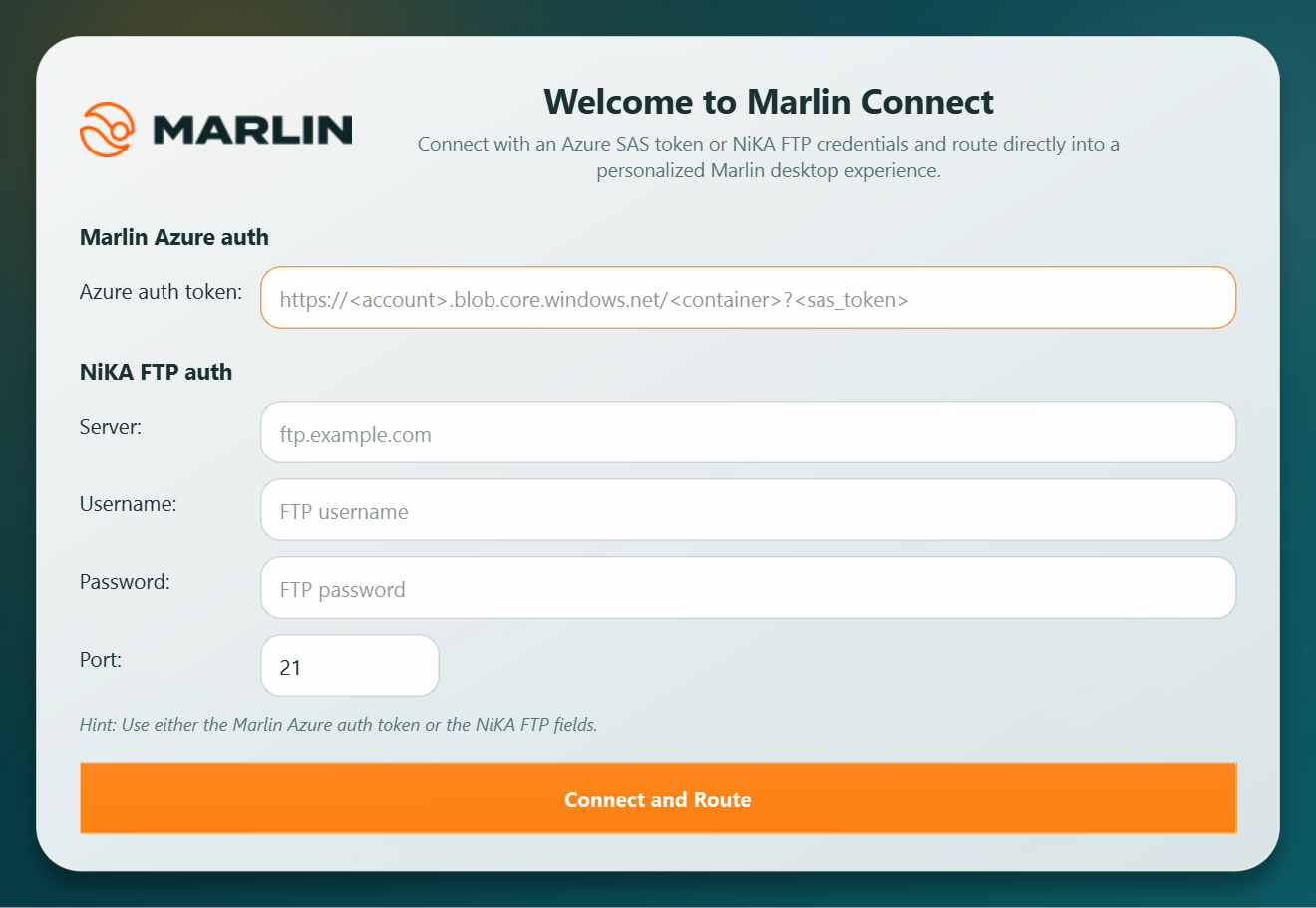
- Launch Marlin Connect and wait for the Marlin Connect Auth launcher.
- Under NiKA FTP auth, enter your Server, Username, Password and Port (the port defaults to
21). - Leave the Azure auth token field empty — only one set of credentials can be used per session.
- Click Connect and Route to open the NiKA Data Viewer.
The NiKA Data Viewer is view-only: browse and filter your NiKA .csv and .flac files, view FLAC spectrograms and GPS metadata, and download files. For the full viewer guide, see “View real-time data or use API with SAS URL”.
If the connection fails, check that the Server, Username, Password and Port match the details generated in metocean LINC, that FTP publishing is still active, and that the password has not been regenerated since you copied it.
Adding processing to a NiKA integration
A NiKA data-only integration does not include Noise Monitoring or machine-learning detections. To add these capabilities for your NiKA data, contact RS Aqua about a Marlin processing upgrade.